Llamafile on Astra
LLMs are powerful tools which have many uses, but the output may contain inaccuracies, bias, or safety issues.
Introduction
LLMs are, by their definition, large. Meta Llama 3.2 is primarily cloud-targeted, at 70B parameters, but was also released in smaller model sizes of reduced capability - the 1B parameter version can comfortably run on a 4GB RAM device like Synaptics Astra SL1680.
This quick guide is compatible with all SL16xx boards. While inference may vary, the steps remain the same across all Astra SL-Series processors.
Llamafile
A quick way to run Llama 3.2 1B is by using Mozilla Foundation Llamafile. Llamafile simplifies running LLMs as a single binary, reducing setup complexity. Let's try an example now!
First, we must download the model onto the board (note this is a 1.2GB download):
wget https://huggingface.co/Mozilla/Llama-3.2-1B-Instruct-llamafile/resolve/main/Llama-3.2-1B-Instruct.Q6_K.llamafile
Next we will run the Llama 3.2 LLM:
chmod +x Llama-3.2-1B-Instruct.Q6_K.llamafile
./Llama-3.2-1B-Instruct.Q6_K.llamafile
When you see the prompt, you can ask a question and press return to see the LLM generate a response:
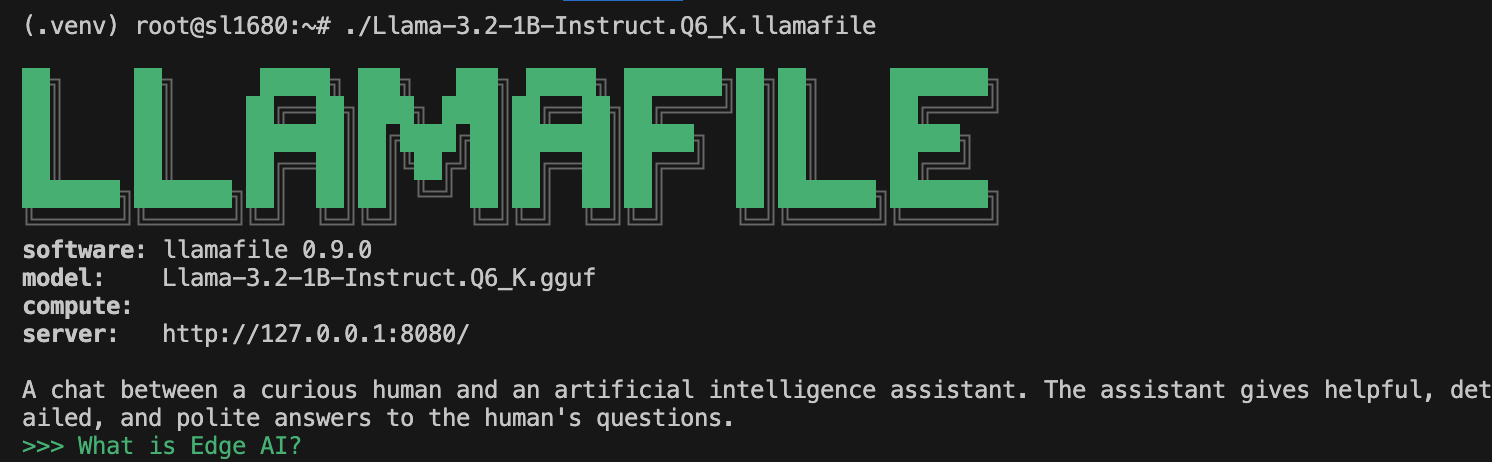
You can issue the command /stats to get some performance statistics for the LLM:

Press CTRL + C to quit llamafile.