Compiling Ultralytics YOLO for edge NPU
In this example, you can dive deep on how model conversion and optimization works using SyNAP Toolkit on a Synaptics Astra® Machina™ board. You can export the YOLOv8 body pose model from Ultralytics, use SyNAP to perform an optimized model compilation targeting the NPU in Synaptics Astra SL1680, run inference on the board, and display the results.
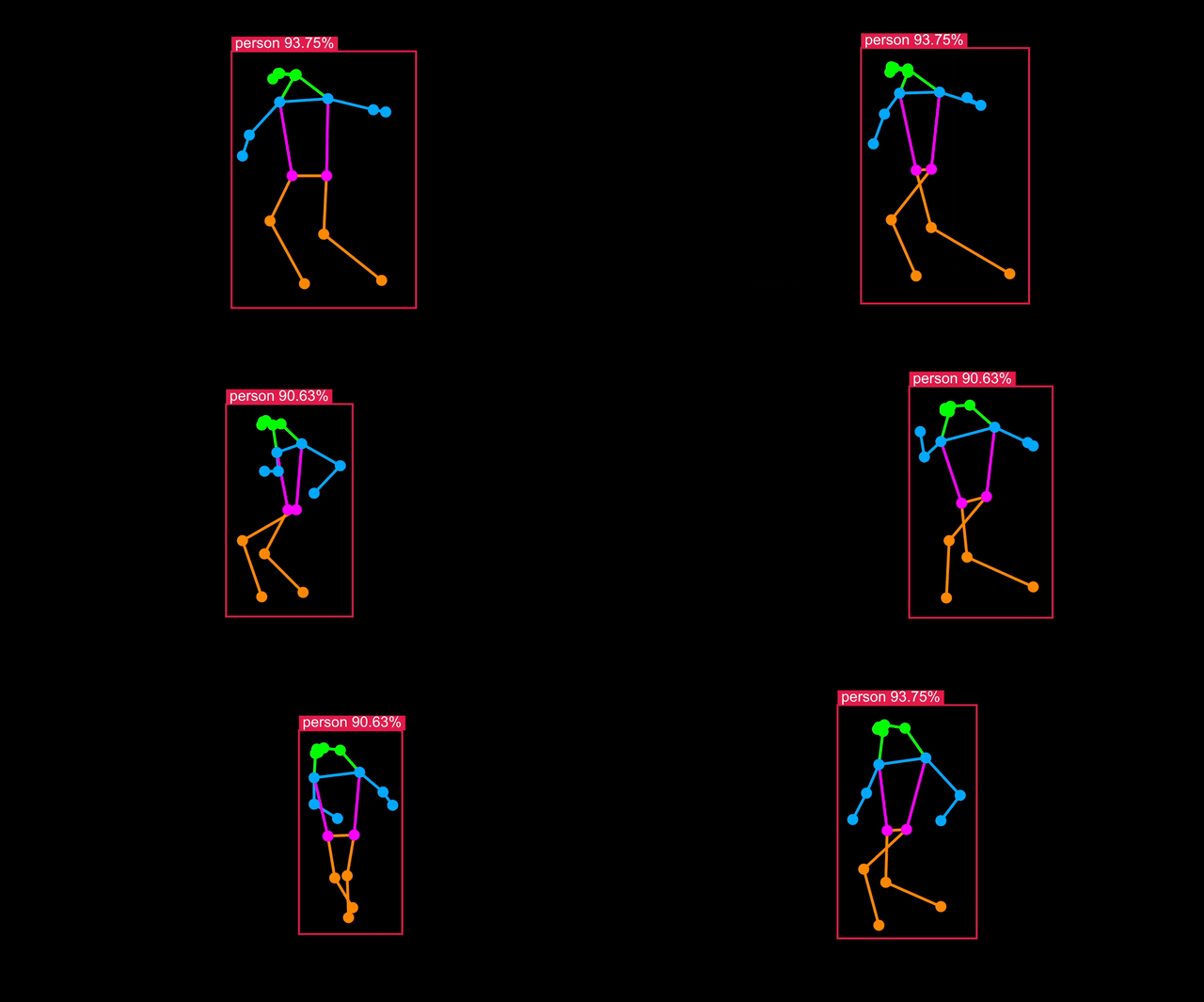
Optimizing the model to target Synaptics processors (SL1620, SL1640 or SL1680) can be done with a single command.
This allows to Optimize model for NPU on SL1680 and SL1640 and GPU on SL1620 by default.
synap convert --target {$CHIP_MODEL} --model example.{$MODEL_FORMAT} --meta example.yaml
Prepare model on Google Colab
To save time on environment setup, you can do your model compilation and optimization on a Google Colab Notebook which you can run right now:
Open Compiling Ultralytics YOLO for edge NPU Google Colab
Prepare model Locally
Export YOLOv8s Body Pose Model
First obtain the Ultralytics YOLOv8s body pose model in ONNX format following the Ultralytics export guide.
!pip install ultralytics
import ultralytics
ultralytics.checks()
!yolo export model=yolov8s-pose.pt format=onnx imgsz=352,640 opset=11
Download a sample image
!wget -q 'https://ultralytics.com/images/bus.jpg' -O bus.jpg

from IPython.display import Image
display(Image(filename='bus.jpg'))
Install SyNAP Toolkit
If you are running locally, you need to install the SyNAP model compiler. This take models from TensorFlow, TensorFlow Lite, ONNX or Caffe and compiles them in a format optimized for the CPU, NPU or GPU resources available on the target Synaptics Astra Processors.
Here are the steps to install SyNAP Toolkit via Docker: Install SyNAP Toolkit
Making the Metafile YAML file
Metafile allows users to enable quantization and other optimizations. It offers fine-grained optimization and compute delegation functions to further customize and optimize models. You need to specify --meta argument while including this YAML file.
In this section we'll walk through it to explain how you can build the YAML file for our YOLOv8s-pose model conversion. You can see a full description of the Conversion Metafile options in the SyNAP docs.
1. Delegate
For inference, the following delegates are available:
default: Automatically selects the best delegate based on target hardware.npu: Uses the NPU for optimized inference (default for SL1680 and SL1640).gpu: Utilizes the GPU for inference (default for SL1620).cpu: Runs inference on the CPU.
Delegates can also be set on a layer-by-layer basis. See Heterogeneous Inference for more.
So for example, your delegate section in your YAML should look something like this:
synap_yaml = """
delegate: npu
"""
2. Inputs
This reflects the name, format and shape of the default inputs to the YOLOv8s-pose model as visible in Netron. It defines a NCHW tensor shape - a 1x image batch, 3x color channels, 352x pixel height, and 640x pixel width:
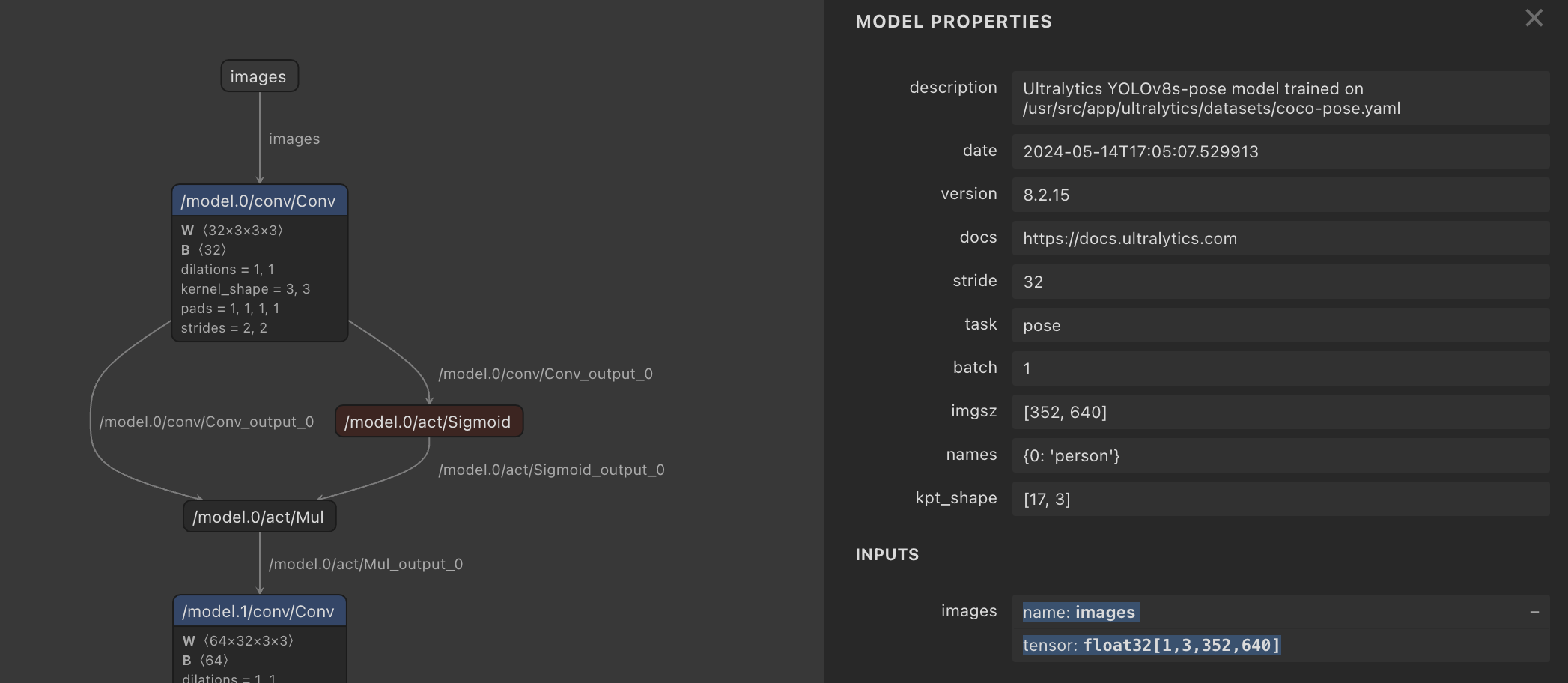
So your inputs section in your YAML should look something like this:
synap_yaml += """
inputs:
  - name: images
    shape: [1, 3, 352, 640]
    scale: 255
    format: rgb
"""
3. Outputs
Object Detection output format is not standardized between models, but SyNAP is aware of retinanet_boxes, tflite_detection, yolov5, and yolov8 format. The number of landmarks=17 is found in the YOLOv8s-pose metafile and represents human pose keypoints (e.g. eyes, shoulders, hips) based on COCO 2017. The w_scale and h_scale parameters scale the bounding box and keypoint coordinates relative to the input image:
synap_yaml += """
outputs:
  - format: yolov8 landmarks=17 visibility=1 w_scale=640 h_scale=352
  """
4. Quantization
Quantization is only supported with the npu delegate, meaning it is only supported for SL1680 and SL1640 processors.
float16 - most accurate but not fast (default)
Without specifying quantization, the toolkit defaults to compiling the original float32 YOLOv8s-pose model to the closest precision supported by the NPU; float16. This results in an accurate model but very slow inference time of around 2900ms.
uint8 - not accurate enough
Luckily SyNAP lets us easily optimize for speed using quantization. We specify a default quantization width of '*': uint8 and provide a set of reference images in order get a representative range of values. The inference time is 31ms, but results in zero detections.
int16 - accurate
If we switch to int16 it gives a result almost identical to float16, but the inference time is almost exactly twice that of uint8 at 63ms.
Mixed uint8 & int16 - accurate and fast
To enable a finer trade-off between speed and accuracy, SyNAP supports Mixed Quantization. Intuitively, quantization errors on layers closer to the model output have a bigger impact on overall model accuracy (think about noise on an input image versus errors in output coordinates).
Therefore use uint8 data for the start of the model, then switch to int16 at the convolutions towards the end (the head). Of course, other factors help refine these choices, which you can learn about in Model Quantization.
Amazingly, this delivers acceptable accuracy while only adding a few milliseconds more than pure int8, with an inference time of 32ms.
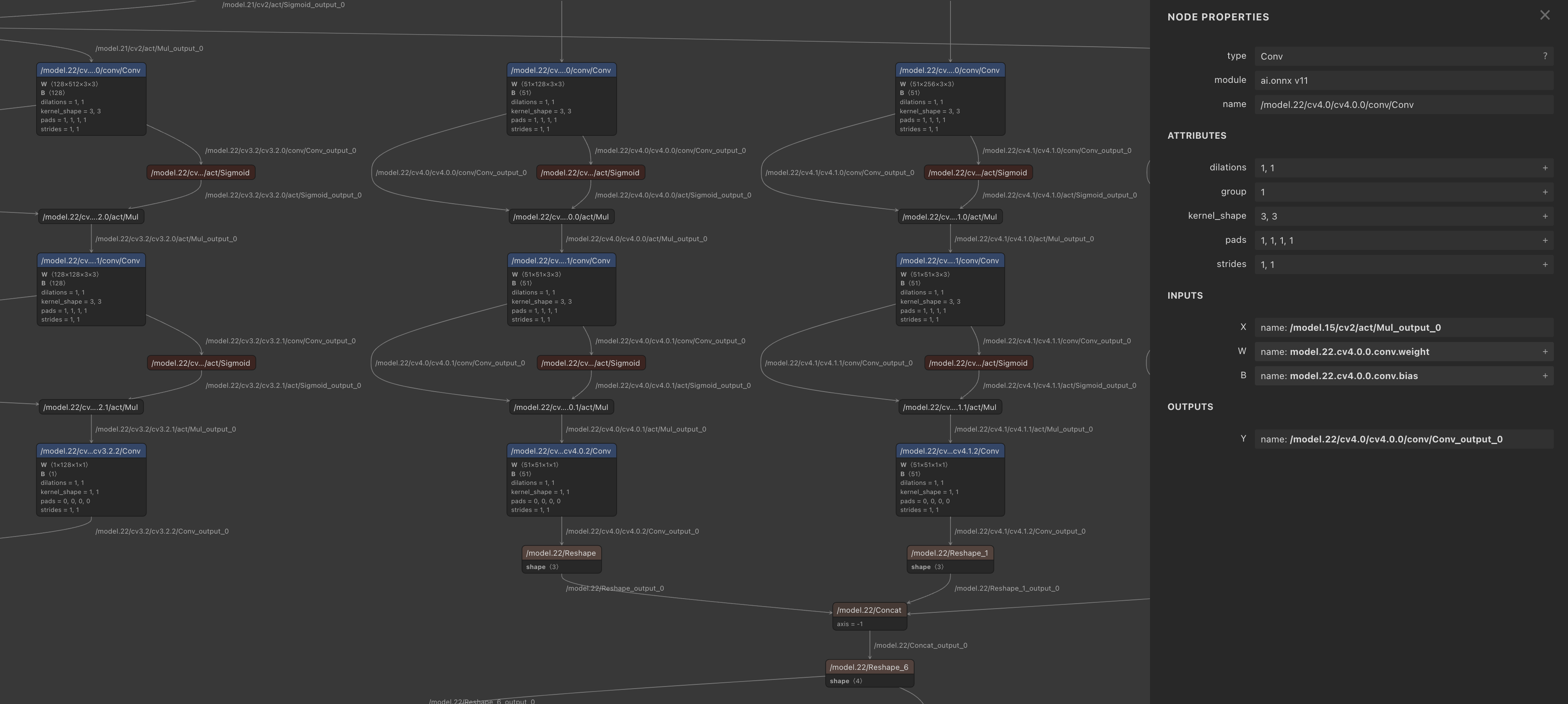 Viewing the convolution layers in Netron
synap_yaml += """
quantization:
    data_type:
      '*': uint8
      /model.21/cv2/conv/Conv...: int16
      /model.22/cv4.0/cv4.0.0/conv/Conv...: int16
      /model.22/cv4.1/cv4.1.0/conv/Conv...: int16
      /model.22/Concat_4...: int16
    dataset:
      - ./*.jpg
  """
Now write the meta content to a synap.yaml file
with open('./synap.yaml', 'w') as file:
    file.write(synap_yaml)
Compile the model for Synaptics Astra hardware
Run the model conversion using synap_convert, specifying the YAML metafile
synap convert --model yolov8s-pose.onnx --meta synap.yaml --target SL16xx --out-dir converted
Run the model on Astra
Upload optimized YOLOv8 model
Download the model.synap you just built, and upload it to the Astra board:
adb push ~/Downloads/model-2.synap /home/weston/pose.synap
adb push ~/Downloads/bus.jpg /home/weston/bus.jpg
Run object detection
adb shell
cd ~weston
synap_cli_od -m pose.synap bus.jpg
The inference result should be around 32ms, great!
Visualize
To check the body pose detection has acceptable accuracy, run synap_cli_od with the output image flag and review the rendered bounding boxes.